 SiteGrinder SiteGrinder
Pro and Basic
Sadly Sitegrinder is no more...
Think of this as more of a historical article. SiteGrinder is no longer a product.
When you think "Photoshop Plugin," what immediately comes to mind? Fancy graphic special effects? Drop shadows and glowing text? How about a complete website? If you are comfortable with Photoshop, and working with layers in Photoshop, you can create a complete website, with drop down menus, rollover special effects, menu buttons, all without compromising your design, or having to learn a single line of html code or CSS (Cascading Style Sheets). You need to know a little about file management (got to know where your stuff is) and file names (index.html is always the first name of the main page of your web), and you need a little (and I do mean a little) time to spend getting yourself familiar with the basics of building a web with SiteGrinder. Oh, and you need to know a little about getting a domain name, web hosting and sending files up to a server on the Internet so you can get your pages up for the world to see.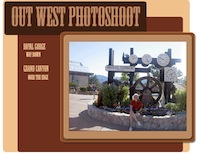
Once you have these few basics under your belt, you will be amazed at how quickly you can have somethng wonderful and totally you up. Most of your skill and time will be utilized in Photoshop, building and dreaming. Web design software like Dreamweaver and coding skills (html and CSS) are not necessary additions to your repertoir to make your designs into Internet-ready pages. All you need is your imagination and SiteGrinder!
SiteGrinder is great on a Mac or PC. I did this little photoshoot (click the Out West Photoshoot image) set of pages just to see how easy it was to make a rollover button. It was amazing. Remember when you look at this, all my work was done in Photoshop, just naming a few layers to make the buttons. This little photoshoot set of pages was done on my Vista machine with SiteGrinder 2.
Special Note: There is a brand NEW version of SiteGrinder out now and it looks like it might be able to totally change the way a lot of us create websites. At first glance, the word that comes to my mind is Amazing! I just installed it April 5th and will be writing more about it in the next week or so as I use it more and more. Did I say AMAZING!
Brand NEW ... Here is a link to a small "playground site" I am building with the latest version of SiteGrinder. Everything about it is brand new, and I love it! This area is certainly under construction, and I am using it to share my journey with the NEW SiteGrinder. Enjoy! And look for it to change quite often with lots of tips and tricks and observations (from a Dreamweaver user's perspective) as I learn more and more.

Got questions?
Search mrswizard.com and compuquicktips.com
with Google!
|