 FxFoto FxFoto
Freeware version as well as Deluxe or Pro Media Editions
Very reasonably priced
Try before you buy
Oh My Goodness! The latest version of FxFoto is quickly becoming one of my favorite image manipulating programs. Not only can it create and save photo collages, but it has everything you need to make your pictures perfect. It is, in a word, amazing! FXFoto does things you will never see in any of the mainstream (and expensive) paint programs. And it is FUN!
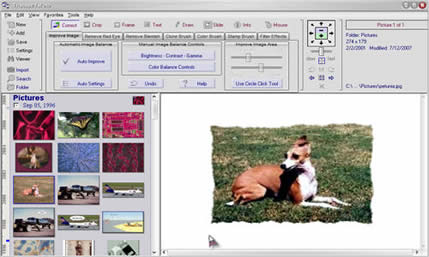 Cropping is taken to a whole new level with this little GEM, with all sorts of shapes and patterns and edge effects you can use. You won't believe all the special effects to tweak and tune your images with. Cropping is taken to a whole new level with this little GEM, with all sorts of shapes and patterns and edge effects you can use. You won't believe all the special effects to tweak and tune your images with.
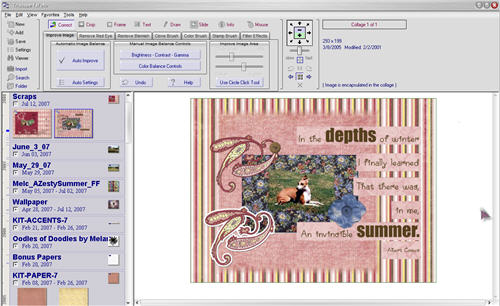
Creating a Collage is as easy as dragging and dropping each element you want to use from your image folders to the work area. Then arrange them the way you want and print it for posterity, or save it as a jpg file to use as very exclusive wallpaper for your computer screen. FxFoto was designed for digital scrapbooking. If you have a camera and want to share your photos in a very special way, you need FxFoto!
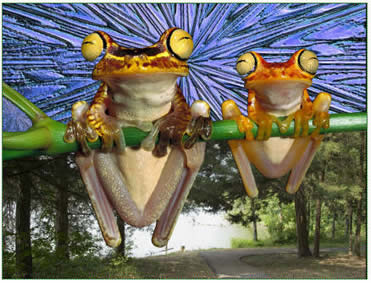 FxFoto will do slide shows, presentations, animated photo tours, and much more. There are many great examples on their website to keep you drooling for a long time and plenty of great tutorials to help you get started and feeling comfortable with it right away. FxFoto will do slide shows, presentations, animated photo tours, and much more. There are many great examples on their website to keep you drooling for a long time and plenty of great tutorials to help you get started and feeling comfortable with it right away.
The small (2.35 Mb) download won't take long at all. Double click the file to install. There is a very comprehensive manual that can be downloaded from the website. You will find a freeware edition, as well as higher level, feature rich editions to purchase.
I haven't had this latest version very long, but I can already tell this software has matured into something I want to spend a lot more time with. I even found a few sites with free digital scrapbooking kits to help me get started and inspired. The more I put together, the more I want to learn. Heck! I haven't even begun to fiddle with the slide show capabilities yet. I'm having too much fun making digital scrapbook pages!
Here are a few free resources to help you get started:
Simply Clean Digi Scraps
Shabby Princess Designs
 Look for additional articles on this great image manipulator in the coming months as I get my feet wetter and learn more. Look for additional articles on this great image manipulator in the coming months as I get my feet wetter and learn more.
Got questions?
Search mrswizard.com and compuquicktips.com
with Google!
|