  Nostalgia:
|
DeepBurner
I haven't had a single DVD coaster since I began using DeepBurner many moons ago. My new laptop came with a DVD burner (whoopie!) It did great regular CDs using the native XP burning utilities I have written about before, but read/write DVDs were another story until DeepBurner.
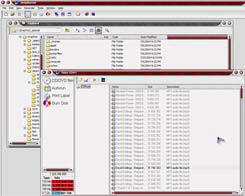
To use DeepBurner, just start it up, check which kind of CD you want to create and click Next. If you are adding to an existing CD, choose append. You will see 2 windows within the main DeepBurner window. Drag your files from the file manager (Explorer) window to the right pane of the CD window and click the words Burn Disk (on the left). Then click the Burn Disk button at the bottom of the window. When it is finished, you will hear a sound and the CD will pop out. The append choice is really great when you use Read/Write CDs and DVDs. It allows you to add to them without disturbing what is already there. No long drawn out formatting ordeal is needed for RW DVDs. The first time you use a RW CD or DVD you may need to click the Erase button before the Burn Disk button. This will prepare the new CD for future recording. After that, you will be ready to record (over and over). There is a status bar at the bottom of the CD window so you always know how much room is left. It really is that easy. There is an autorun feature available, as well as the capability of creating Boot CDs that just make it more and more valuable. There is a lot to learn and choose when you have a CD burner, but DeepBurner makes it all very friendly. Geeks will love it, and beginners will too. I certainly do! The handy update section on the menu bar under Help, along with a link to the DeepBurner website helps you make sure you always have the latest version and information. I have both the freeware version and the newest Pro version installed. The freeware version is full of great features and fine for basic down and dirty recording. The Pro version has more and is wonderful! I just can't imagine using anything else. Freeware: 2.71 Mb download
Utilities | Internet | Graphics | Sound Utilities | Office Programs
|
 Freeware Version as well as Pro Version
 Installation is a breeze and it will not interfere with your previously installed CD burning software. You know.... the stuff that doesn't work properly.